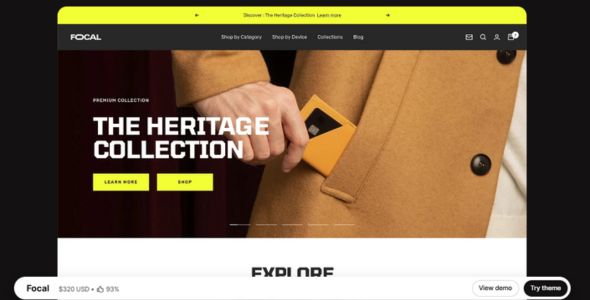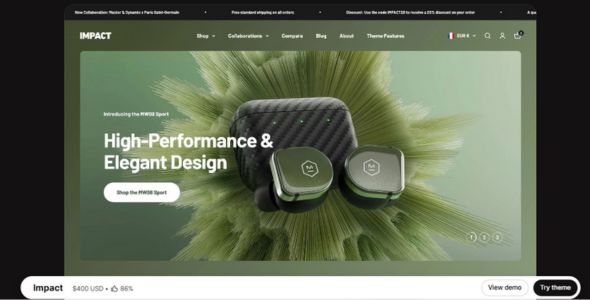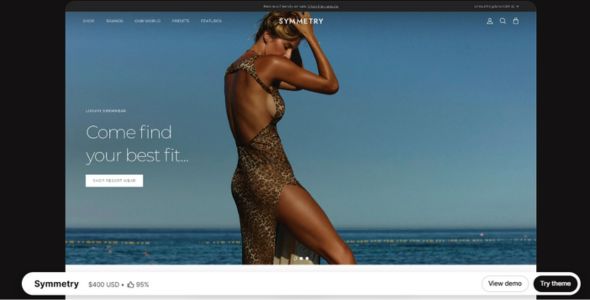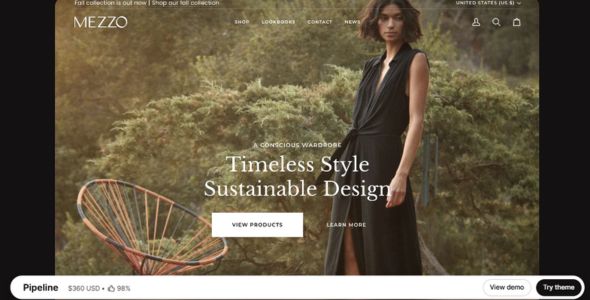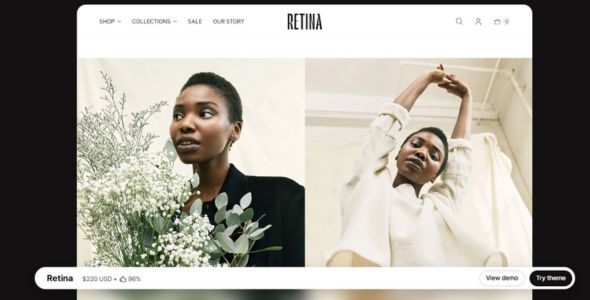
Retina Shopify Theme is a visually rich, flexible, and professionally designed Shopify theme created to help brands highlight products with large imagery and clean layouts. With advanced product pages, promotional blocks, and optimized mobile browsing, it delivers a smooth shopping journey. It is ideal for fashion boutiques, beauty brands, jewelry stores, and curated ecommerce collections.
If you’ve spent any time exploring premium Shopify themes, you’ve probably come across Retina — it’s one of those themes that quietly earns a loyal following, especially among brands that care deeply about visual storytelling and product presentation. And honestly, after using Retina on several Shopify projects, I completely understand why. Retina isn’t just about making a store look good; it’s about creating a shopping experience that feels polished, immersive, and trustworthy from the very first click.
The first time I used Retina was for a boutique skincare brand that needed something elegant but not overly flashy. The products were premium, the photography was strong, and the brand story mattered — so a basic template just wouldn’t cut it. Retina turned out to be the perfect fit. The layout felt clean and editorial, the typography looked refined out of the box, and the homepage flowed naturally from story to product to conversion. I barely had to fight the theme to make it look the way I wanted — it just worked.
What I love most about Retina is that it’s opinionated in a good way. Instead of trying to be everything for everyone, it focuses on brands that want to showcase products beautifully and tell a story. Yet, at the same time, it gives you enough flexibility to customize layouts, sections, and content blocks without touching code. It’s ideal for lifestyle brands, fashion stores, beauty products, and anyone who wants their store to feel premium rather than generic.
 Try Theme
Retina Shopify Theme Features
Let’s break down what makes Retina such a strong Shopify theme, especially for visually driven brands.
1. Beautiful, Story-Driven Homepage Layouts
Retina shines when it comes to homepage design. It’s built around large imagery, editorial-style sections, and smooth content flow. You can easily create story sections, brand highlights, and featured collections that feel more like a magazine layout than a typical online store. I’ve used this to build brand narratives that guide visitors naturally from discovery to purchase.
2. Multiple Preset Styles
Retina comes with several preset styles, each with its own vibe — from minimalist and clean to bold and artistic. This makes it easy to start with a look that already matches your brand direction and then customize from there. On one project, I started with a soft, neutral preset for a wellness brand and barely changed the structure — just swapped colors, fonts, and images, and it felt fully custom.
3. Excellent Product Page Design
Product pages in Retina feel premium by default. Large images, clean typography, and smart spacing make products stand out without clutter. You can highlight product benefits, ingredients, sizing info, or usage instructions in structured sections, which is especially useful for beauty, fashion, and lifestyle products where detail and trust matter.
4. Strong Collection Page Layouts
Retina’s collection pages are designed to feel curated rather than crowded. Products are displayed in clean grids with plenty of breathing room, and filtering and sorting are intuitive. This makes browsing feel smooth and enjoyable — something that directly impacts conversion rates, especially for stores with medium-to-large catalogs.
5. Built for Visual Storytelling
One of Retina’s biggest strengths is how naturally it supports storytelling. You can add image-and-text sections, editorial blocks, and brand story panels throughout your pages. I once used Retina to build a homepage that told the founder’s story, explained the sourcing process, and showcased hero products — all without overwhelming the visitor or hurting performance.
6. Mobile-Optimized Experience
Retina looks fantastic on mobile, which is huge considering how much Shopify traffic comes from phones. The layouts stack beautifully, images remain sharp, and navigation feels smooth. I’ve tested Retina stores across devices, and the experience stays consistent — no awkward spacing or broken sections.
7. Fast Performance for a Visual Theme
Themes focused on large imagery can sometimes feel heavy, but Retina is surprisingly well-optimized. With properly compressed images, I’ve seen Retina stores load quickly and score well on performance tools. It strikes a nice balance between visual impact and speed, which is something many themes struggle with.
8. Built-In Sections and Customization Options
Retina doesn’t overwhelm you with endless settings, but it gives you exactly what you need: flexible homepage sections, customizable headers and footers, product highlights, testimonials, and featured collections. Everything is controlled through Shopify’s native theme editor, so you’re never locked into proprietary builders or shortcodes.
9. Blog and Content-Friendly Design
If content marketing matters to your brand, Retina is a solid choice. Blog pages look clean, readable, and modern — more like a lifestyle magazine than a traditional store blog. I’ve used Retina for brands that rely heavily on storytelling, tutorials, and editorial content, and it handled long-form posts beautifully.
10. Reliable Updates and Support
Retina is built by Out of the Sandbox, a developer known for high-quality Shopify themes and long-term support. Updates are consistent, compatibility with new Shopify features is solid, and their documentation is clear. In my experience, that reliability matters just as much as design — especially for stores that plan to scale.
My Experience
I’ve used Retina on everything from fashion boutiques to skincare brands, and it consistently delivers a polished, high-end feel without requiring heavy customization. One of my favorite projects was a handmade accessories store where we used Retina’s storytelling sections to highlight craftsmanship, sourcing, and behind-the-scenes photos. The result felt more like a brand magazine than a traditional Shopify store — and conversions improved because customers trusted the brand more.
Another thing I appreciate is how little custom CSS I’ve needed. The spacing, typography, and layout hierarchy already feel “designed,” so instead of fixing awkward defaults, I can focus on content, imagery, and branding. And when I do want to tweak something, Retina’s code is clean and developer-friendly.
Performance-wise, Retina has been solid. As long as you optimize images (which you should do anyway), it runs smoothly even on content-heavy homepages. For visually rich brands, that balance between beauty and speed is exactly what you want.
Download Retina Shopify Theme Last Version
We’re sharing the Retina Shopify Theme here for testing purposes only so you can explore its layout options, customization tools, and overall feel before committing. If you decide it’s the right fit for your store, we strongly recommend purchasing the official license to receive updates, support, and long-term compatibility with Shopify.
👉 Get the official Retina Shopify Theme here: Buy Retina Shopify Theme
Last Updated on March 18, 2026 by admin